

持久化您的模型#
之前,我们了解了如何结合使用 chemotools 和 scikit-learn 来预处理数据并进行预测。然而,在实际场景中,我们希望持久化我们训练好的(已拟合的)管道,以便将其部署到生产环境中。在本节中,我们将展示两种持久化模型的方法:
使用
pickle使用
joblib
工作流程的概述如下图所示:
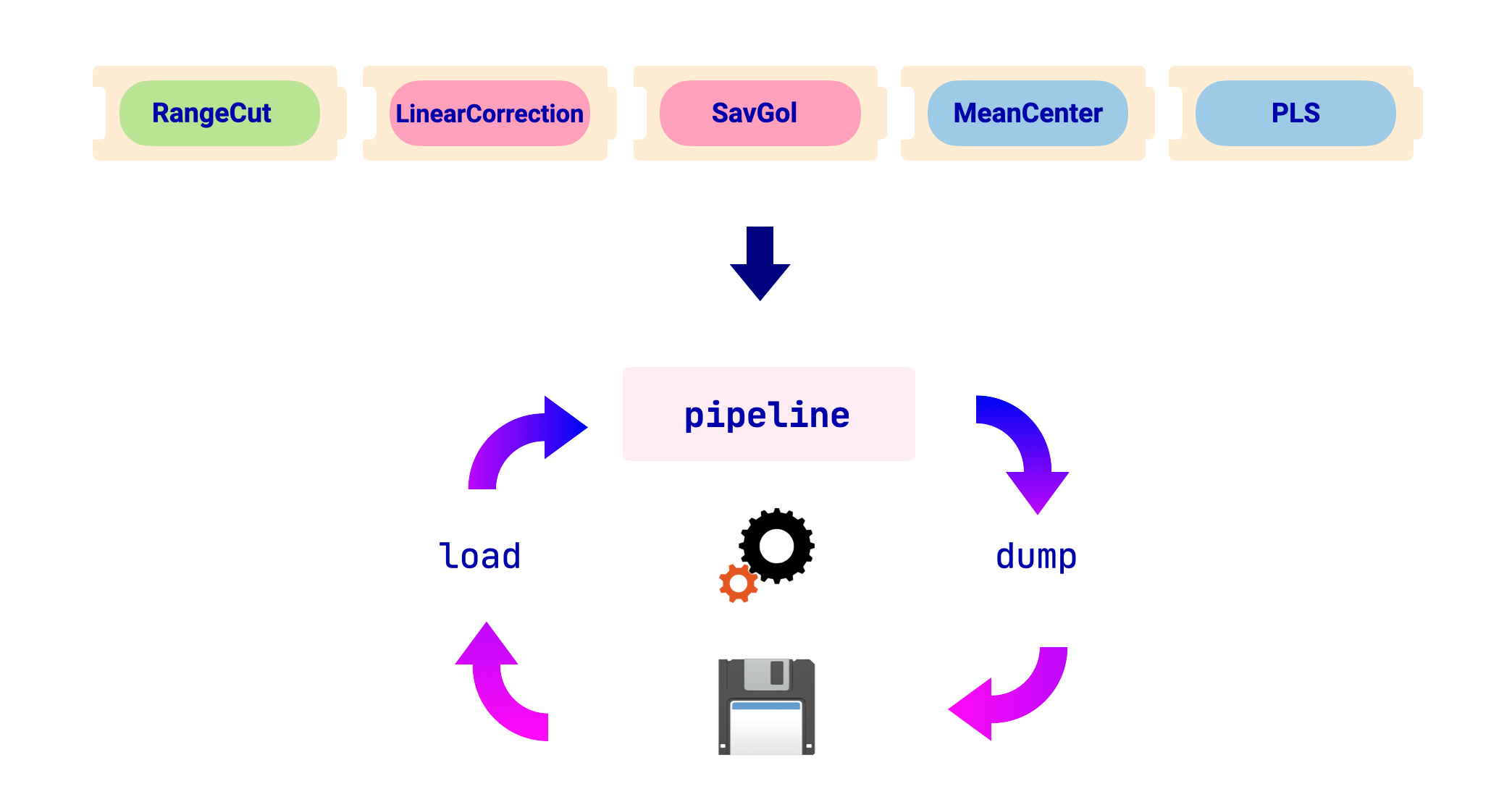
在本节中,我们将使用以下已拟合的管道作为示例:
from chemotools.feature_selection import RangeCut
from chemotools.baseline import LinearCorrection
from chemotools.derivative import SavitzkyGolay
from sklearn.cross_decomposition import PLSRegression
from sklearn.pipeline import make_pipeline
from sklearn.preprocessing import StandardScaler

# Define the pipeline
pipeline = make_pipeline(
    RangeCut(start=950, end=1550, wavenumbers=wavenumbers),
    LinearCorrection(),
    SavitzkyGolay(window_size=21, polynomial_order=2, derivate_order=1),
    StandardScaler(with_mean=True, with_std=False),
    PLSRegression(n_components=2, scale=False)
)

# Fit the model
pipeline.fit(spectra, reference)
使用 pickle#
pickle 是一个 Python 模块,它实现了用于序列化和反序列化 Python 对象结构的二进制协议。它是 Python 安装自带的标准模块。以下代码展示了如何使用 pickle 持久化 scikit-learn 模型:
备注
请注意,pickle 模块不能防止错误或恶意构造的数据。切勿对从未经信任或未经身份验证的来源接收的数据进行反序列化。
import pickle

# persist model
filename = 'model.pkl'

with open(filename, 'wb') as file:
    pickle.dump(pipeline, file)

# load model
with open(filename, 'rb') as file:
    pipeline = pickle.load(file)
使用 joblib#
joblib 是一个 Python 模块,它提供了用于高效保存和加载利用 NumPy 数据结构的 Python 对象的实用程序。它不是标准 Python 安装的一部分,但可以使用 pip 安装。以下代码展示了如何使用 joblib 持久化 scikit-learn 模型:
from joblib import dump, load

# persist model
filename = 'model.joblib'

with open(filename, 'wb') as file:
    dump(pipeline, file)

# load model
with open(filename, 'rb') as file:
    pipeline = load(file)